
Monitoring doors in a map
2026-01-15Last updated
Using that Maps task in Security Center SaaS, you can monitor and interact with doors and readers.
What you should know
- View door health (offline, online, warning state, maintenance mode).
- View door status (closed or opened).
- View door lock status (locked
 or unlocked
  ).
). - View associated video and access control events.
- Control door and reader entity commands.
Procedure
-
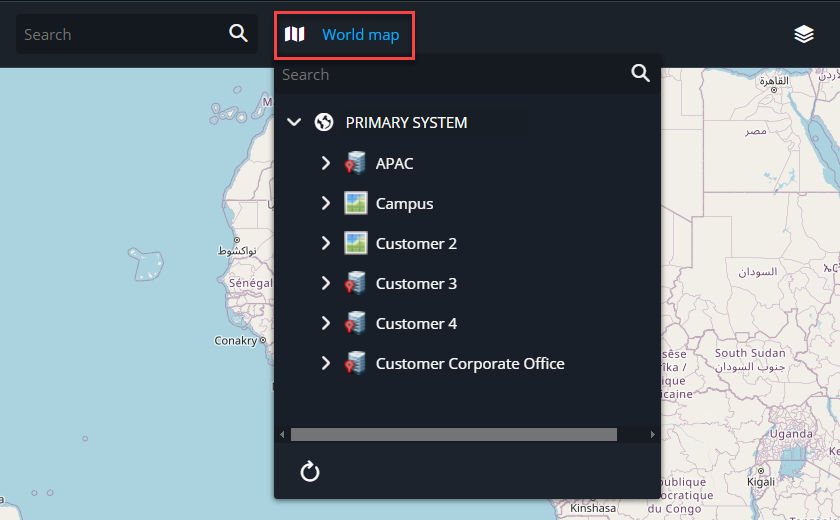
Click the Select map list and select your desired map.
-
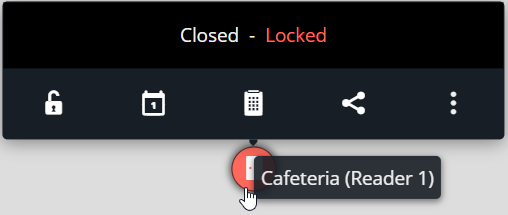
Hover over the door marker to view its lock status and commands.
-
Click a door marker to display video, entity controls, and events in a side
panel.
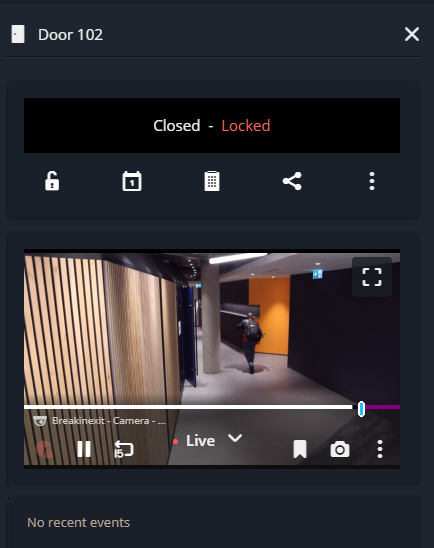 Note:To enlarge the video displayed in the side panel, click the Maximize video (
 ) button.