
What is Federation?
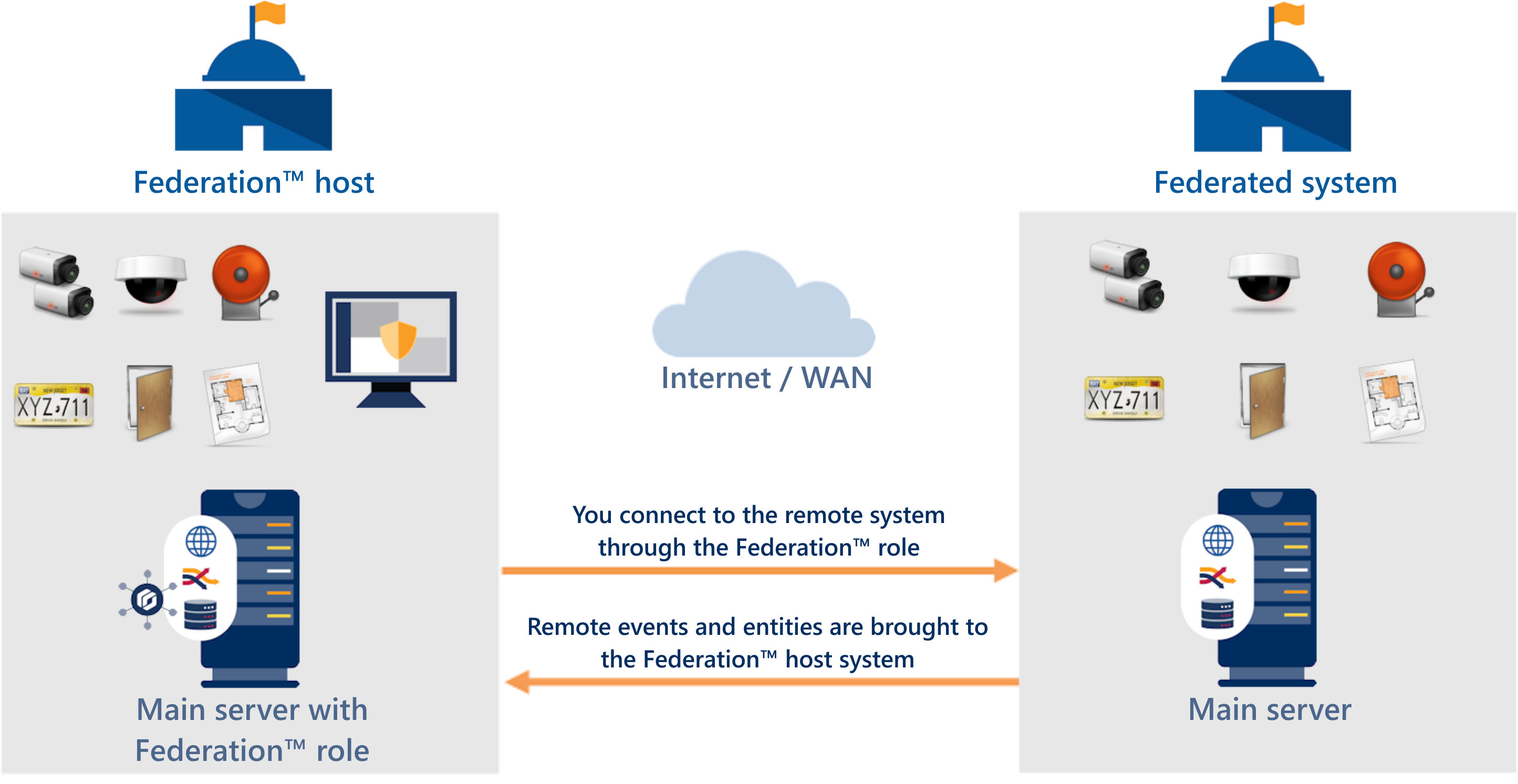
Federation™ joins multiple independent Genetec™ Security Center or Security Center SaaS systems into a single virtual system. With this feature, users on a central system, called the Federation host, can view and control entities that belong to remote systems.
How Federation™ works
You view, monitor, and control remote entities from a central system called the Federation™ host. On the Federation host system, you create a Security Center Federation™ role for each independent system that you want to federate. The role connects the remote system to the Federation host.
Ways to deploy Federation
When federating Security Center SaaS into Security Center, the following characteristics apply:
- On-premises Security Center is the Federation host.
- Security Center SaaS systems are visible in Security Center, where on-premises and cloud systems can be managed and monitored in a single interface.
- Setup does not use reverse tunneling.
- See Federating Security Center SaaS into Security Center.
When federating Security Center into Security Center SaaS, the following characteristics apply:
- Security Center SaaS is the Federation host.
- Security Center systems are visible to Security Center SaaS operators, who can monitor them in a cloud environment.
- Reverse tunneling is required for setup.
- See Federating Security Center into Security Center SaaS.
Benefits of Federation
Federation provides the following benefits:
- Gain a unified view of all facilities with centralized monitoring, reporting, and alarm management while maintaining local and remote site autonomy.
- Use real-time, automated synchronization to manage data in a single environment, reducing manual checks and freeing you up to focus on what’s critical.
- Lower costs with streamlined workflows and cross-site cooperation.