
Enabling remote triggers for Bosch intrusion areas
2026-01-20Last updated
Intrusion areas on a Bosch intrusion panel can be remotely triggered from Security Center SaaS by configuring a virtual output point in Bosch Remote Programming Software (RPS) and Genetec™ Configuration desktop.
What you should know
Procedure
-
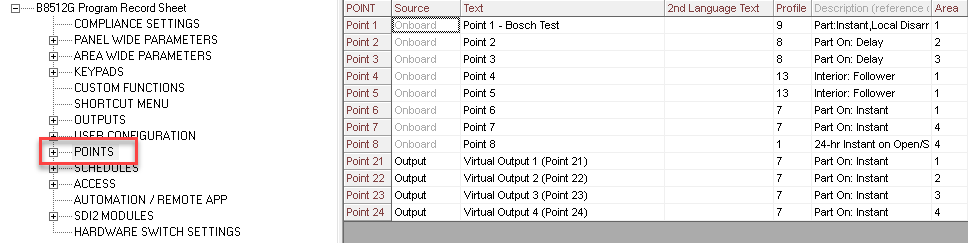
In the POINTS section of the Bosch RPS, create a new point and set the Point
Source to Output for each point on the panel that you want to use to trigger
an alarm.
Note:
If an
alarm is silenced from the panel, the associated area doesn’t enter a
Silent state in Security Center SaaS. The area displays a
Normal state.