Setting up spot monitoring on a Cloudlink appliance
2026-09-04Last updated
To improve situational awareness, you can connect an external display directly to a Cloudlink appliance to act as a spot monitor. It can display live video from a single camera or sensor in your Security Center SaaS system at a time.
Before you begin
- Add a camera to your Cloudlink appliance.
- Connect the monitor to video output 1 on the appliance. If the monitor isn't natively compatible with DisplayPort, you need an active adapter.
What you should know
- The Cloudlink can connect to one external display at a time.
- Spot monitoring only supports live streams, not video playback.
- Streams from fisheye or 360° lenses are not dewarped on the monitor.
Procedure
-
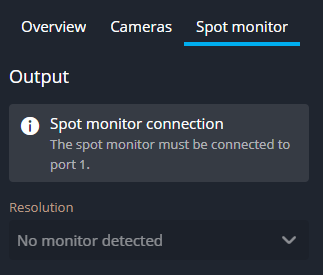
In the side pane, click the Spot monitor tab. If the monitor
isn't displayed in Output, check the connection.