Filtering and sorting devices
2026-09-08Last updated
To efficiently locate devices in a large system, you can narrow down your device list using filter criteria and column sorting.
What you should know
- Filter options are based on the devices enrolled in your system.
- If you select an option from one filter, it doesn't modify the options of other filters.
Procedure
-
Click Apply.
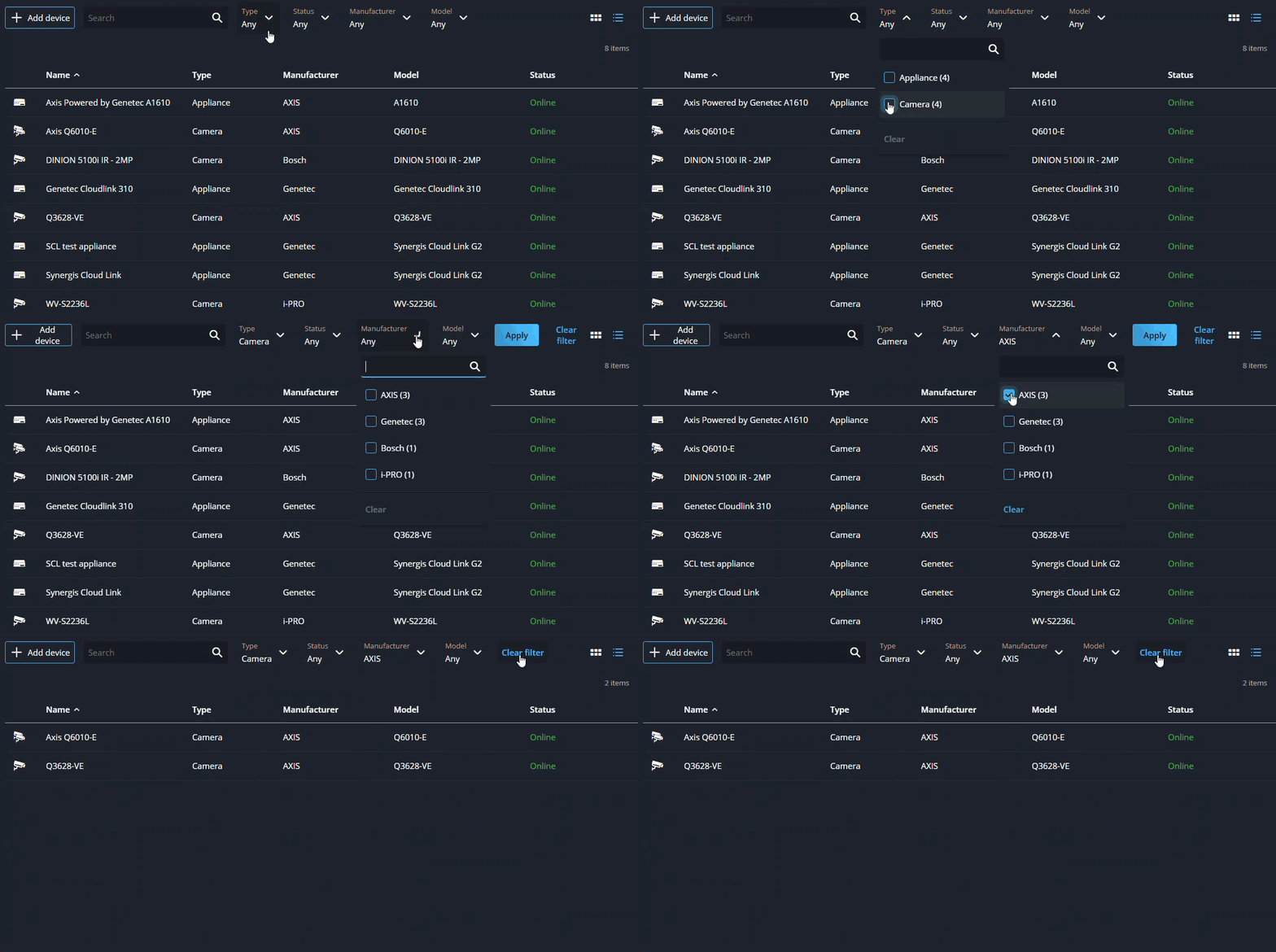 Note:Applied filters remain active while you navigate between pages in the Configuration task. Filters are reset when you sign out.
 -
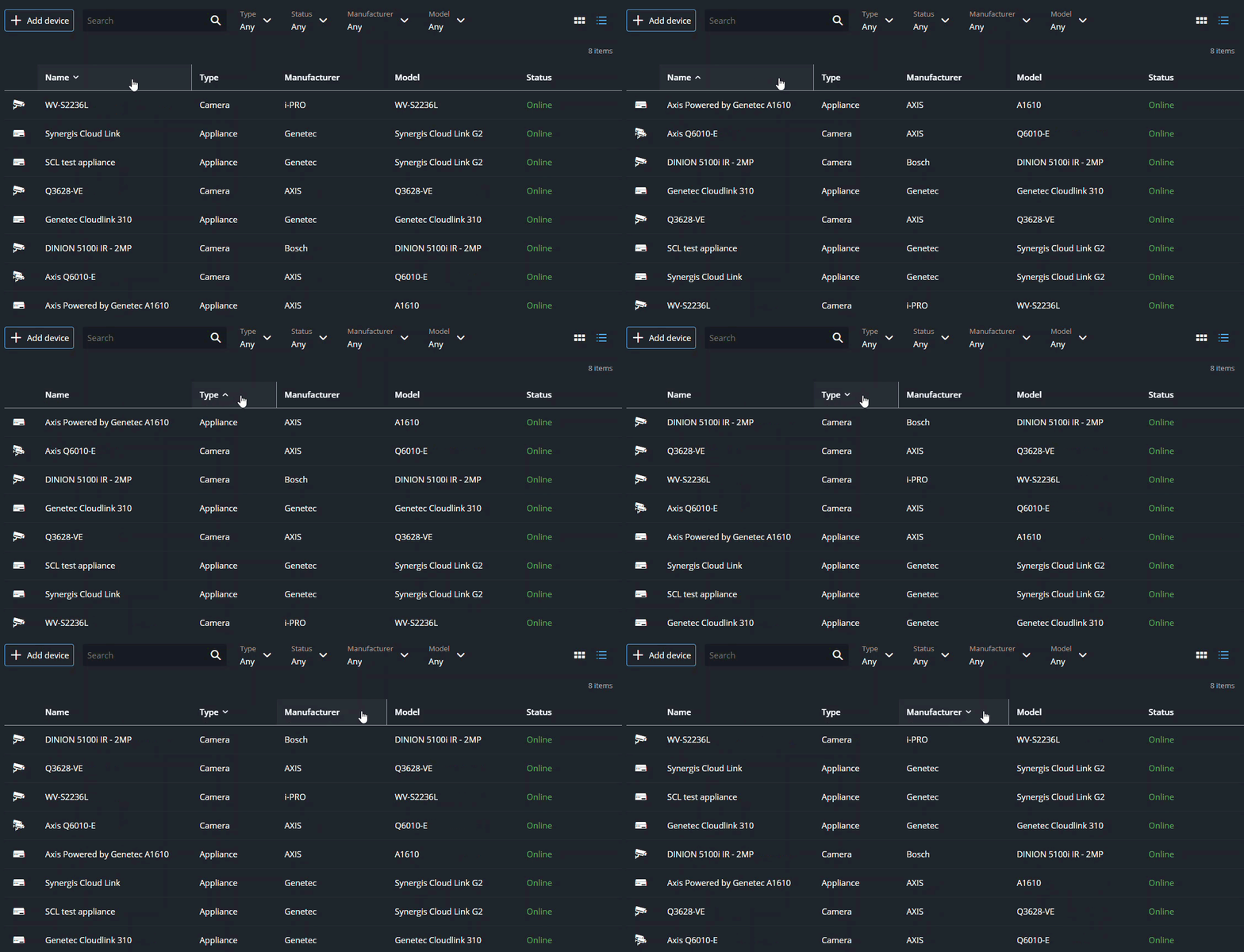
(Optional) In list view, click a column header to sort devices in ascending or
descending order.