Assigning roles to users and groups imported from Okta
2026-07-07Last updated
To assign the permissions users need to perform their day-to-day tasks, you must assign roles to the users and user groups imported from Okta into Security Center SaaS.
What you should know
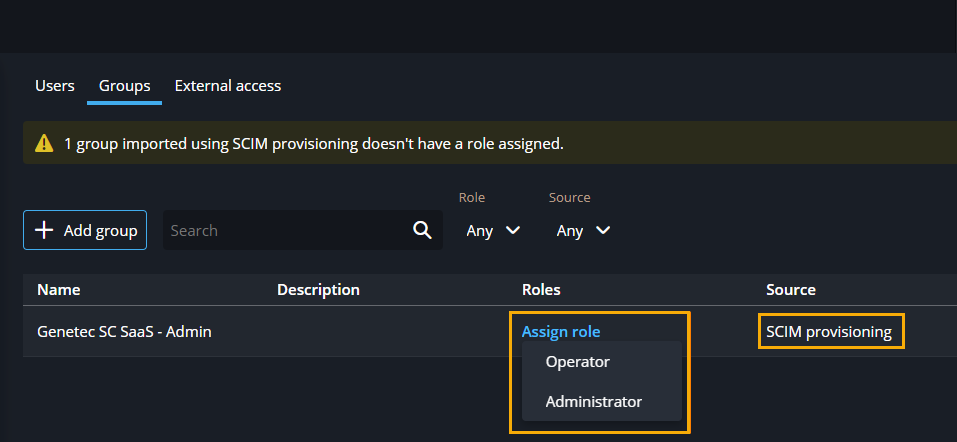
Groups that are automatically
provisioned list SCIM provisioning in the Source
column.
Procedure
-
In the Configuration task, click
Users.
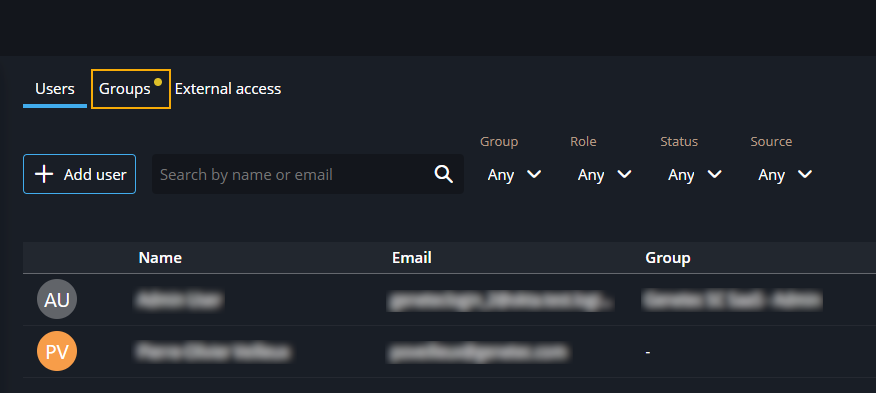
If a yellow dot is visible beside the Groups tab, one or more groups require action.
-
In the Roles column, for any groups that don't have a specified role, click
Assign role and select a role.