
How intelligent search works in the Investigation task
2026-09-23Last updated
You can initiate an investigation and use intelligent search functions within the Investigation task. The camera metadata collected differs depending on the manufacturer and the camera's forensic capabilities.
Intelligent search can also be activated in the Tiles task. For details, see How intelligent search works in a monitoring tile.
Requirements
- Intelligent search requires a Security Center SaaS Premium Plan. For an overview of the key features and differences between the Standard and Premium plans, see the Security Center SaaS Features Matrix.
- Intelligent search only works for non-federated cameras.
- To display thumbnails of similar people and nearby activity, you need forensic-capable cameras with the Activate camera metadata setting enabled.
Expand your search results
After using natural language search or filtered search to find a person or vehicle of interest, you select an image from the results. This opens a side pane that shows a video tile and intelligent search results related to your search.
- If you select a person of interest, similar people and nearby activity are displayed.
- If you select a vehicle of interest, nearby activity is displayed.
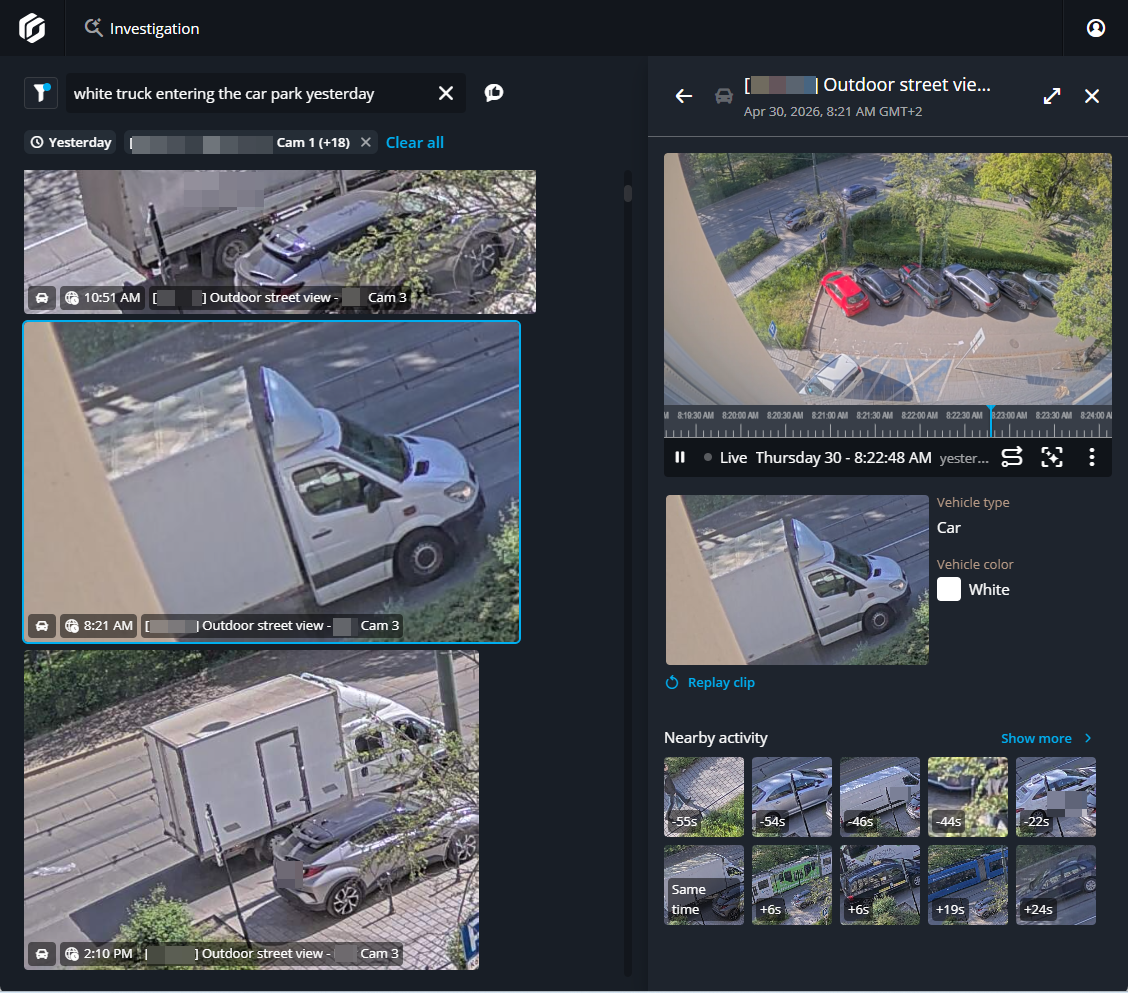
Investigating a subject of interest
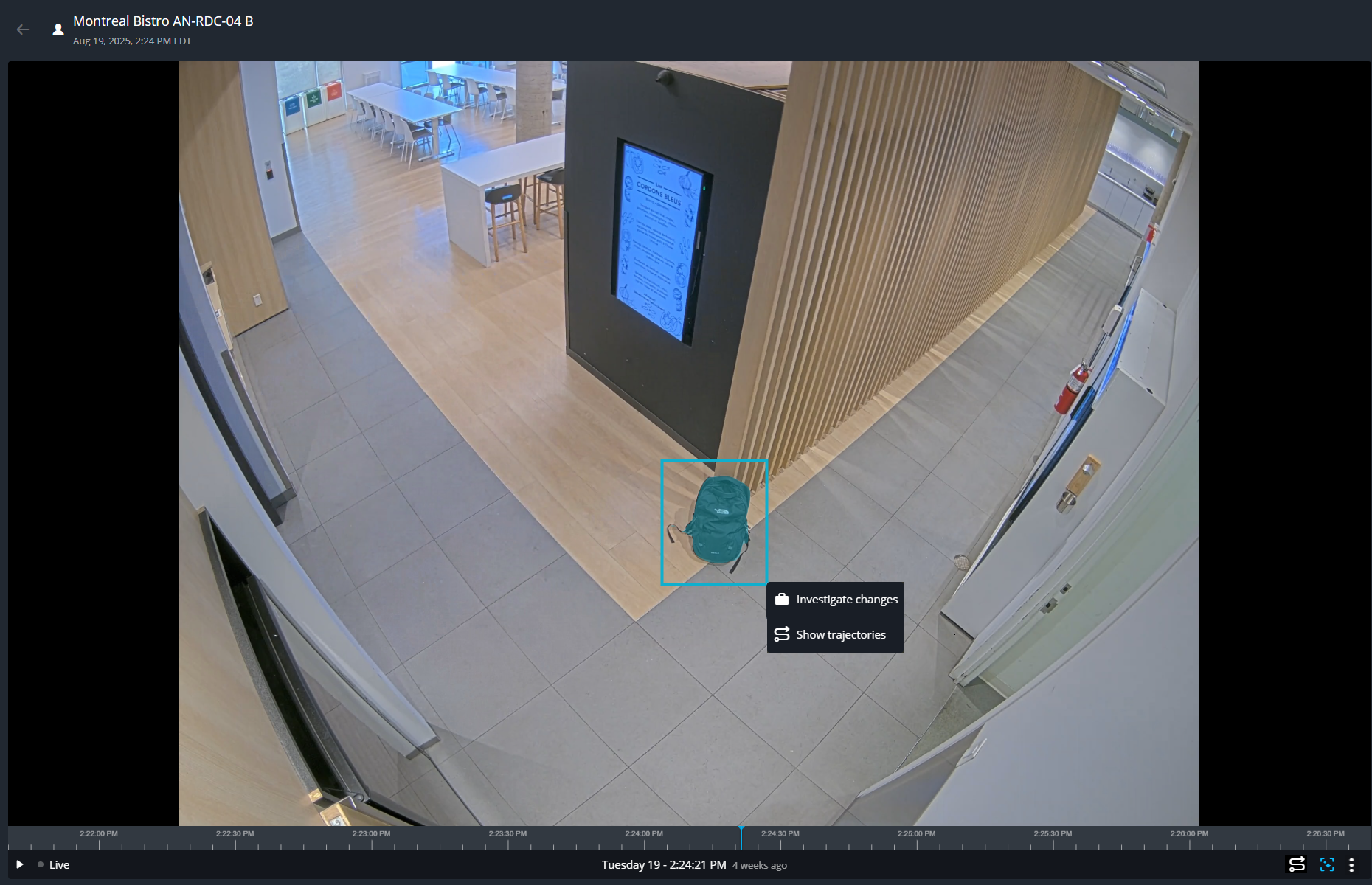
To investigate a specific area, click Intelligent search ( ) to draw an area of interest in the video tile.
The system responds according to your selection:
) to draw an area of interest in the video tile.
The system responds according to your selection:
) to draw an area of interest in the video tile.
The system responds according to your selection:- To examine a person within the camera's view, draw a box around them. Thumbnails of similar individuals and nearby activity are shown.
- To investigate a vehicle, object, or area of interest within the camera's view, draw a
box around it. Thumbnails of entry and exit detection and nearby activity are shown.
Note:
When you draw a box around a subject of interest, you can click Show
trajectories. This shows how people and vehicles moved within the camera's field of
view. For more information, see How visual trajectory works in Security Center SaaS.