
Keeping camera features up-to-date
2026-08-26Last updated
To access new features after a camera’s configuration changes or when they become available as part of a system or firmware update, you must manually synchronize the camera.
What you should know
- Security Center SaaS only fetches camera capabilities during enrollment. If you enable a feature that wasn't supported when the camera was enrolled, the feature won't be displayed in the Security Center SaaS user interface until you manually synchronize the camera.
- The synchronize function is disabled when cameras are offline.
- Manually synchronizing a camera doesn't require the camera or associated Genetec Cloudlink appliance to restart.
Procedure
-
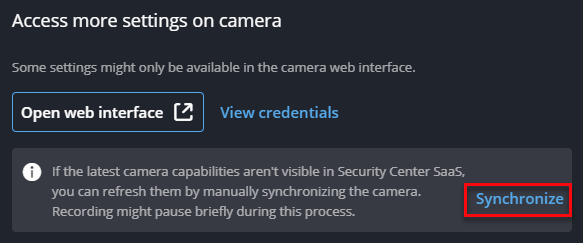
On the Overview side pane, in the Access more settings
on Camera section, click Synchronize.
 After the synchronization is complete, new camera capabilities are displayed on the camera's Settings page. If the firmware was updated, the new version is displayed on the Overview page.