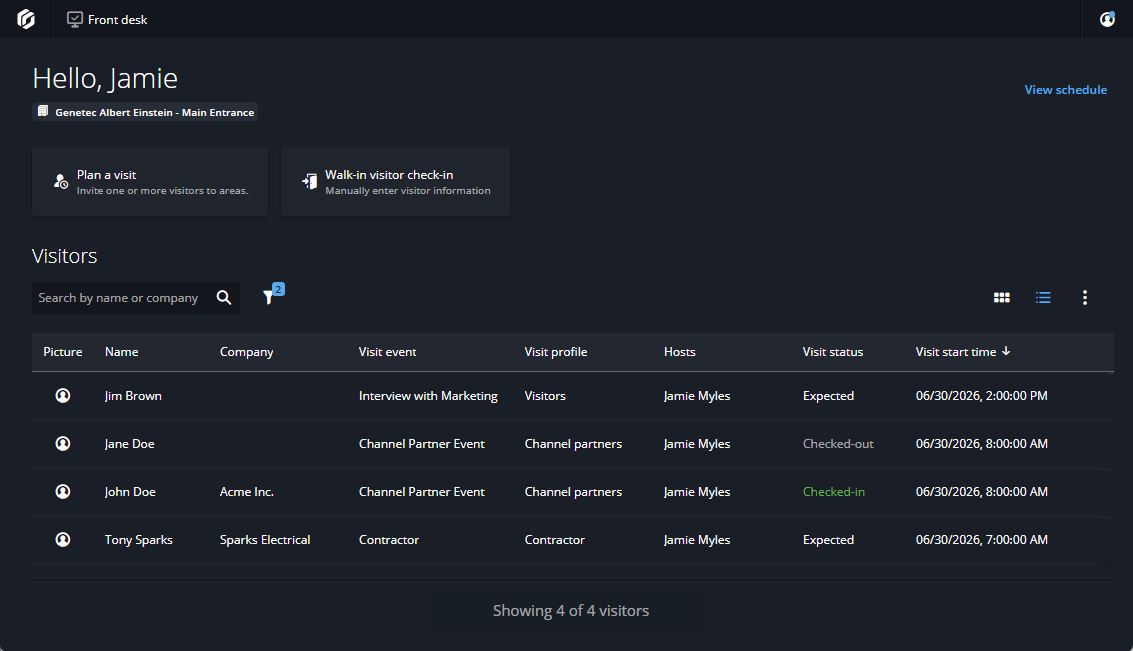
The Front desk task in Security Center SaaS provides reception
and security staff with a unified workspace to manage site visitors. Operators can
create and check in visitors, view scheduled visits, and monitor visitor status from a
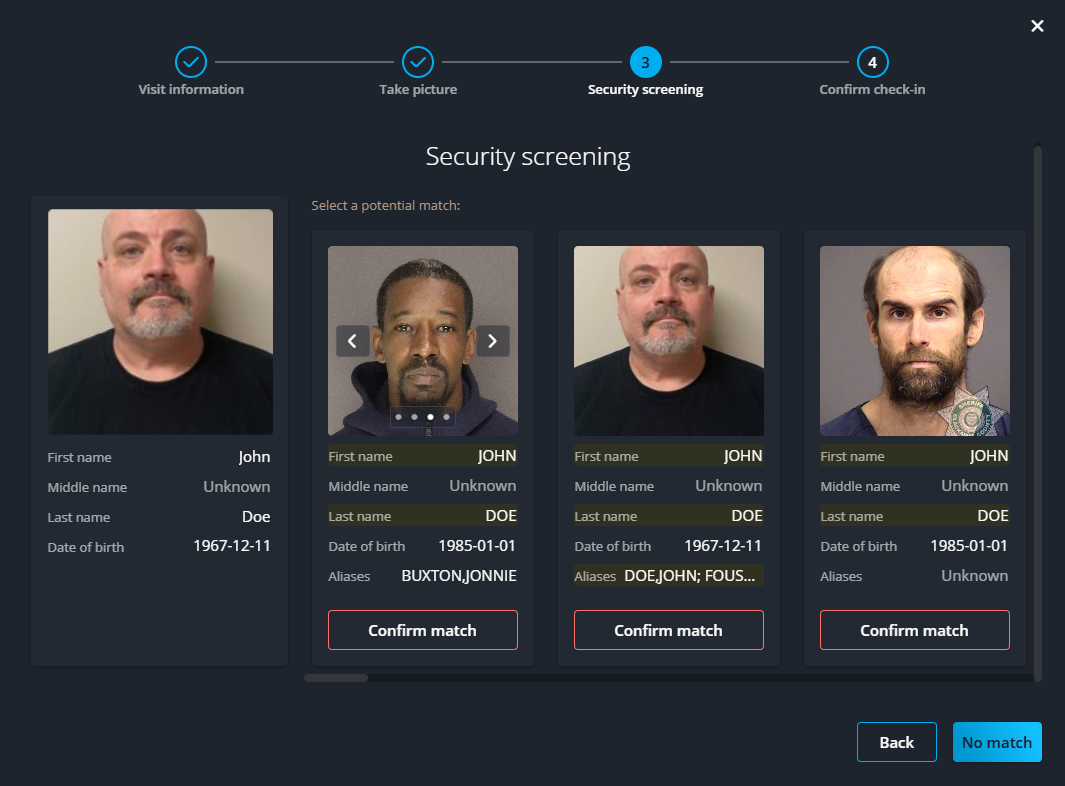
single interface. For planned visitors and walk-in visitors, security screening is
available in the US market.
Visitor management
To review the current visitor status for your site and upcoming visitor activities, you can
do the following:
See a quick overview of visitors who checked in or are expected later.
Confirm that visitors are checked out at the end of the day or after an event.
Search for a visitor by name or company.
Use filters to refine results by hosts, sites, or dates.
Prepare for visit events
You can view the visit events schedule to see the following at a glance:
Planned visit events.
Visitors expected today or in the coming week.
Access cards or other special requirements to prepare ahead of time.
Check in and screen visitors
You can use the planned visitor check-in for visitors who are invited to an event. You can
use the walk-in visitor check-in for visitors who turn up unexpectedly.
If needed, you can activate security screening for planned visits or walk-in visits. To
activate security screening, visitor profile settings must be configured at the site level
by the site owner.
Important:
Security screening is only available in Security Center SaaS
Premium for US accounts and only screens individuals listed in US databases.
Here are two ways you can
set
up your system to generate notifications for security
screening events:
Automation
In Genetec™ Configuration, use the Automation task to trigger
an automation when a Security screening match found event occurs. Configure it
to send a notification using your preferred action. For example, Send a message
or Set threat level.
Monitoring
In Genetec™ Operation, use the
Monitoring
task to monitor entities for events related to your front desk area.