Setting your front desk location
2026-09-15Last updated
Before you can use the Front desk task to manage visitors, you must select your work location for the day. Your location determines which site and visitor management information you can see and which functions you can access.
What you should know
- If your browser can’t access this stored information, or if you switch devices or use a fixed-location machine, you must set your location again.
- If security screening is enabled, the selected location is used to notify the appropriate person or team when security screening matches are found for this front desk location.
Procedure
-
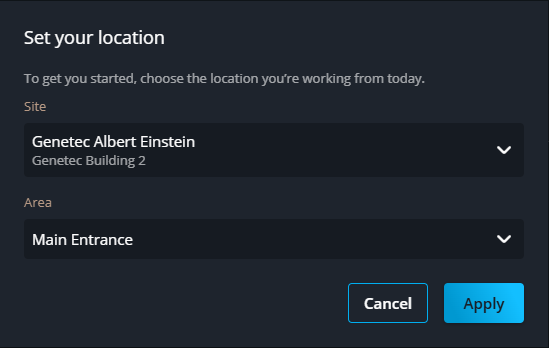
In the Set your location dialog, select your site and area:
- Site
- Select the site where you're working today. If your system only has one site, this option is hidden.
- Area
- Select an area to associate with possible security screening events. This indicates where events happen and ensures that a security guard is sent to the correct area when a security screening match occurs.