
Reviewing visitor activities
2026-08-10Last updated
For an overview of the visitors expected today or the coming week, you can review the Visitors list. Using this information, you can quickly understand the current visitor status for your site and upcoming visitor activities, including checked-in visitors, checked-out visitors, and visitors expected at a later time.
Before you begin
What you should know
- See a quick overview of visitors who checked in or that are expected later.
- Confirm that visitors are checked out at the end of the day or after an event.
- Search for a visitor by name or company.
- Use filters to refine results by hosts, sites, or dates.
Procedure
-
In the Visitors section, review the list of current and upcoming
visitor activities and visitor statuses.
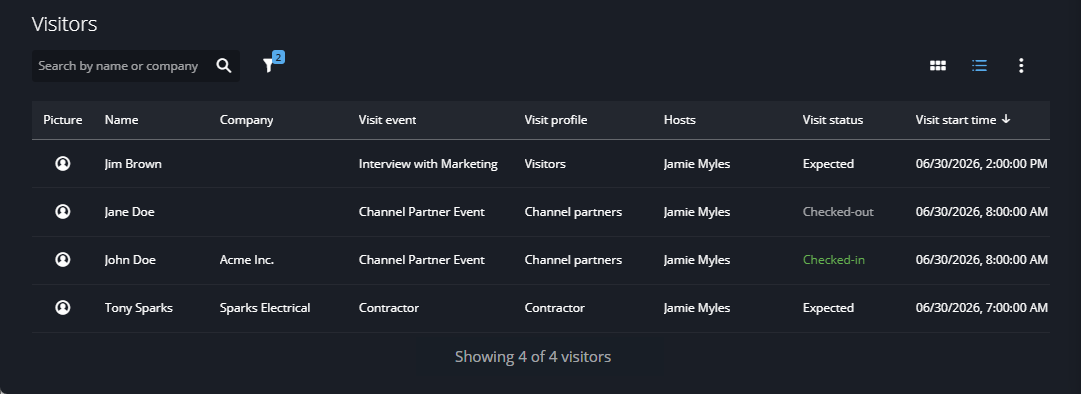 Use the filters or the search field to refine the results as needed.
 -
To display visitors in card format or list format, click Card
view (
 ) or List
view (
) or List
view ( ).
).
- Card view
- See photos of the visitors you are expecting for the day, or when you want to quickly find visitor details for a person checking in. Card view includes their name, status, and photo if available.
- List view
- Quickly find a visitor by name, company, or event. List view includes their name,
status, and photo if available.Note:Other information might also be shown in the Visitors list columns depending on the Column options selected.
-
To customize the order and visibility of columns, adjust the Column
options.
-
Click Show more (
 ) and select Column
options.
) and select Column
options.
- Show or hide columns as required.
-
To set your preferred order, click and drag Reorder (
 ) next to the column names.
- Click Apply.
-
Click Show more (
-
To see visitor details and other options, click a visitor in the list.
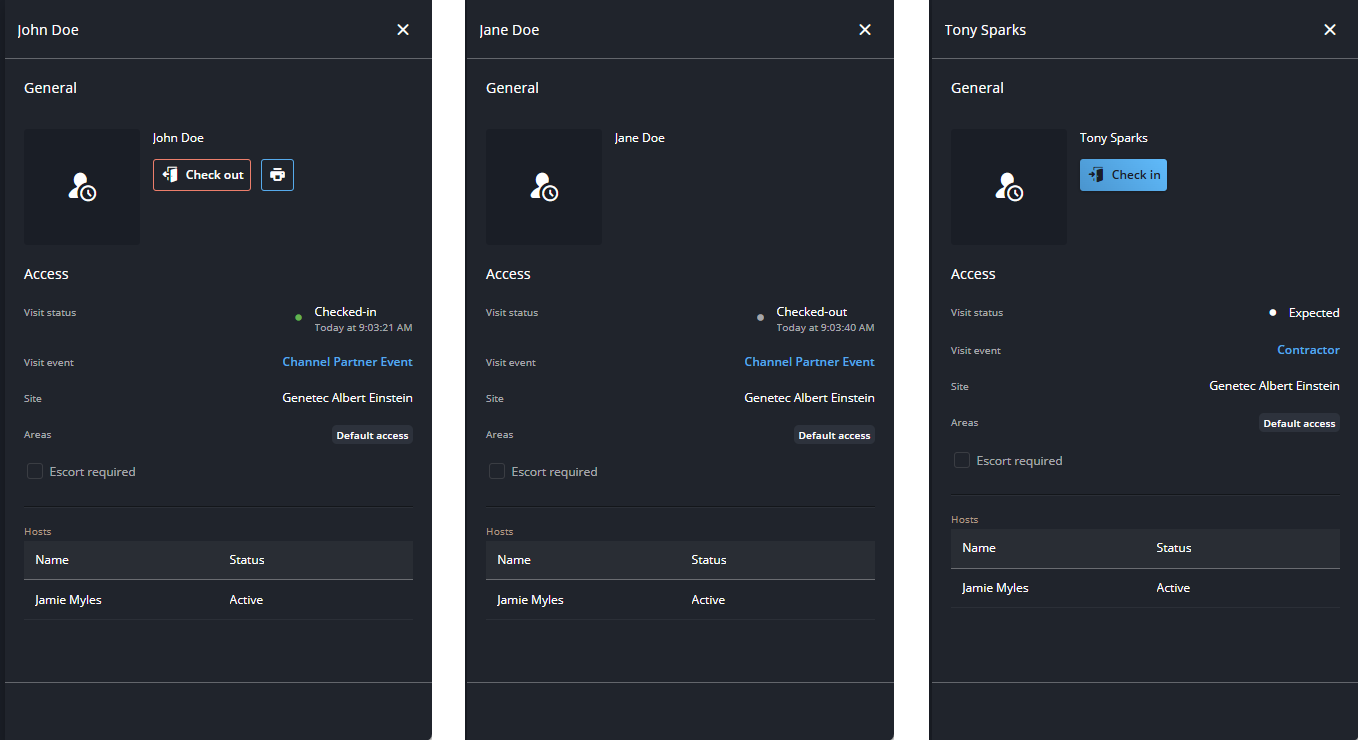 Note:When viewing visitor information, the options available vary depending on the current visitor status.