
Triggering hot actions
2026-08-12Last updated
To quickly initiate predefined responses to events, you can trigger hot actions from the notification tray or by using keyboard shortcuts.
What you should know
- Hot actions are mapped to function keys on a keyboard.
- Administrators must configure hot actions before the menu appears in relevant tasks in Security Center SaaS.
- Depending on your browser, some function keys might already have associated
browser-based commands. To verify how to trigger hot actions, consult the Hot
actions (
 ) menu.
Procedure
Do one of the following:
- In the notification tray, click Hot actions ()
and select one from the list.
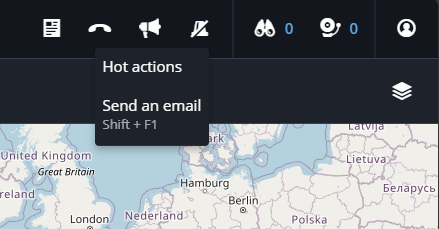
- Hold the Shift key and press a function key.Note:The function key is related to the location of the hot action in the menu. For example, pressing Shift+F1 triggers the first hot action in the menu.